CSA Support
Improved Re-Creation of Cancelled Shipments
We have improved how you can create shipments from shipments in Cancelled or Cancellation Requested status, giving greater control and reducing the risk of errors during rebooking.
With this update, we can now choose which version of the shipment to use when creating the shipment.
This feature is particularly useful when a shipment has been amended multiple times. Rebooking requires manual data input or removal. By allowing us to rebook using the initial booking data, we significantly reduce manual effort, improve efficiency, and minimize errors.
- Shipment Version Selection
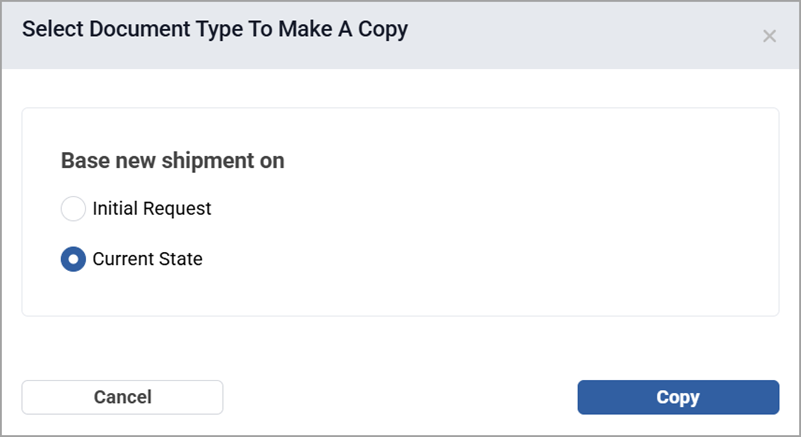
After selecting New Shipment from a Cancelled or Cancellation Requested status shipment, a pop-up opens to select one of the following shipment versions:
- Initial Request – populates the data from the initial shipment.
- Current state – copies the data from the latest shipment.
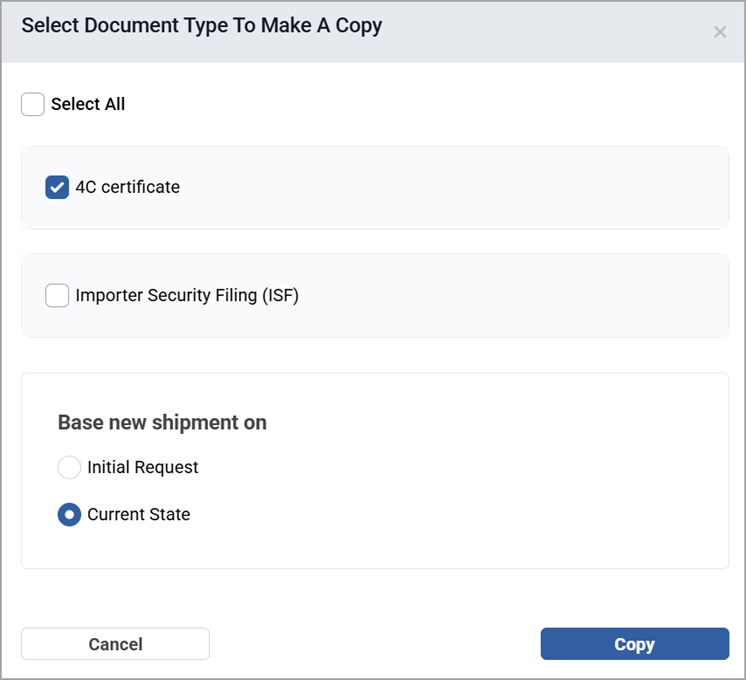
- Document Selection
For both Cancelled or Cancellation Requested statuses, if the initial shipment contains documents, you can also select which ones you want to copy to the new shipment.