 Cargoo Support
Changes to CBLI Interface for ICS2 Compliance
The Import Control System 2 (ICS2) is an EU-wide regulation requiring more detailed data on goods entering the European Union. Launched by the EU to strengthen border security, ICS2 applies to all shipments into the EU and mandates that supply chain participants provide accurate, structured information on shipment parties and contents before arrival.
Key Change: Structured Address Fields
To comply with the European Union's Import Control System 2 (ICS2) regulations and carrier requirements, we have updated the Cargoo Carrier Bill of Lading Instruction (CBLI) document interface.
The format for Consignee, Buyer and Seller addresses in the CBLI has been updated from free text to structured fields.
This change affects all users as of Monday, December 2nd 2024 and is essential for ensuring accurate CBLI data submission to carriers.
Action Required: Verify and Update Address Information
For any new CBLI
User profiles with administrator rights can update company and business partner address master data to comply with the new structured format.
This ensures that Cargoo automatically populates the relevant fields in new CBLIs, reducing manual work and minimizing errors.
Important Note on EORI Numbers: Ensuring EORI numbers are accurate is the responsibility of the party submitting the CBLI. CBLI and ICS2 filings may be rejected by the carrier if the EORI number is incomplete, incorrect or invalid. Follow proper formatting guidelines to avoid submission issues.
How to Update Address Master Data:
- Navigate to ADMINISTRATION > MY ORGANIZATION
- Open the Companies tab and select the entity whose address you wish to update.
- Click on the arrow icon under the Actions column.
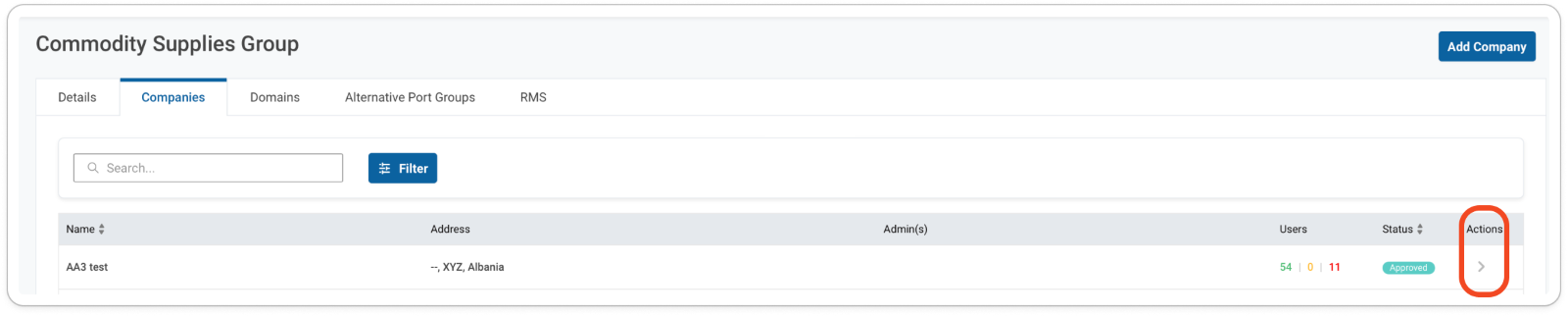
- In the Company Profile tab complete all address details, ensuring every field is accurate, complete, and up to date.

Updating a CBLI in Draft Status
Draft CBLIs created before the system update will display empty structured address fields, which must be completed to allow submission.
To retrieve structured address data, users can remove and re-add the relevant parties.
Verify and update address details for the following sections:
- Consignee
- Buyer
- Seller
- Supplementary Declarant (if applicable)
Incomplete or incorrect addresses will result in CBLI submission rejections by carriers. Ensure all details are accurate to comply with ICS2 regulations and avoid shipment delays.
How to update address information in a CBLI draft:
- Log into Cargoo.
- Navigate to the SHIPMENTS section.
- In the SHIPMENTS menu, select CARRIER BL INSTRUCTION.

Locate the CBLI you wish to validate or edit.
Click on the pencil icon next to the shipment to “Edit Carrier BL Instruction.”
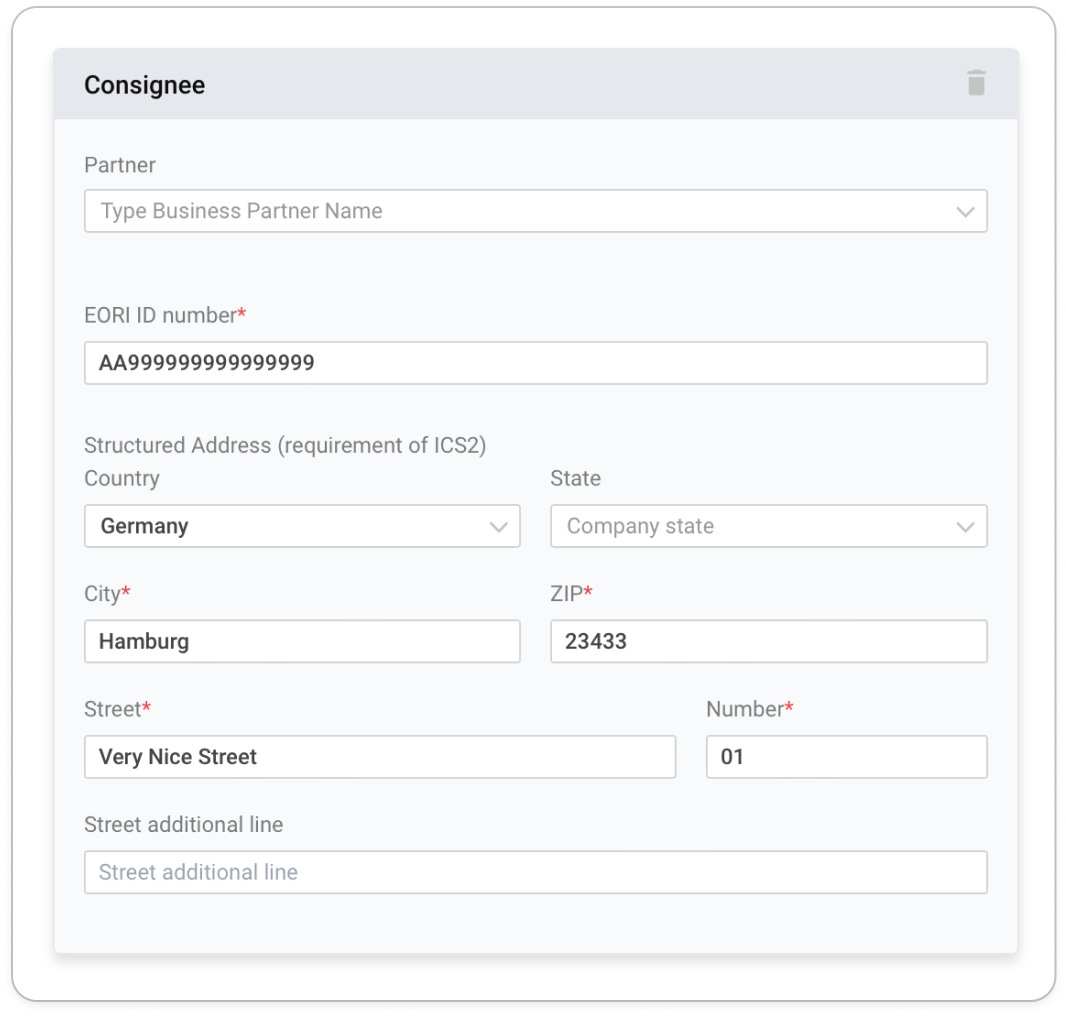
- In the Consignee card, ensure that the correct Consignee address is displayed.
- If you need to update a listed address:
- Click the trash icon to delete the partner and re-add them.
- Alternatively, retype the name of the partner you wish to update. The system will recall the stored address from your organization's master data.
- Verify and Correct Required Fields: Ensure all fields marked with a red asterisk (*) are accurate and complete:
- EORI ID
- Country
- City
- ZIP Code
- Street
- Number

Additional Considerations for ENS Compliance:
Under ICS2 regulations, all shipments destined for the EU, Norway, Northern Ireland, and Switzerland require an Entry Summary Declaration (ENS). This includes details of the Economic Operators (EORI ID) and cargo information.
ENS Filing: Default Setting and User Actions
- The ENS flag now defaults to "Carrier files ENS."

- If the carrier is filing the ENS, no action is needed—ensure the checkbox "Carrier is responsible to file ENS" remains selected.
- For users submitting ENS through alternative channels, manually untick the checkbox and provide the EORI ID of the responsible party (Supplementary Declarant).
- This ensures compliance with ICS2 and smooth submission of Entry Summary Declarations.