Carrier Integration Support
New Milestones in Shipments Report
We enhanced the Shipments Report to provide more detailed insights from carrier interactions and to improve the transparency of date displays based on POL / POD and POR / FND.
These enhancements make it easier to monitor shipment status, access key booking information, and interpret data directly from carrier interactions.
- New Additional Filter: Latest Booking Confirmation Details
We added new filtering criteria to enable viewing shipments based on the latest booking confirmation details.
In the Shipments Details and Shipments per Order tabs, if the Latest BC checkbox is selected, the following columns will be added to the reporting table:
- Latest BC: POR ETD
- Latest BC: POL ETD
- Latest BC: POD ETA
- Latest BC: FND ETA
Note: The system only inherits the latest booking confirmation information from the Carrier Interactions (manual or automated).
- Column Renaming Under Existing Filter
We updated the column titles under the existing additional filter to make it clearer whether the shipment milestones correspond to POL/POD or POR/FND.
| Column Former Title | Column NEW Title | Grouped in Additional Filter |
Initial BR ETD | Initial BR: POR ETD | Initial Booking |
Initial BR ETA | Initial BR: FND ETA | Initial Booking |
Initial BC ETD | Initial BC: POR ETD | Initial Booking |
Initial BCR ETA | Initial BC: FND ETA | Initial Booking |
Latest BR ETD | Latest BR: POR ETD | Latest BR |
Latest BR ETA | Latest BR: FND ETA | Latest BR |
- New Columns Added
We added new columns under both the new and existing additional filters. This will further help identify whether the data corresponds to POL/POD or POR/FND.
On all tabs, the following new columns are added:
- Container Type
- ETD Week PO
- POL ATD
- POD ATA
The following columns are added only in the Shipments Details and the Shipments per Order tabs:
New Column Title | Grouped in Additional Filter |
Initial BR: POL ETD | Initial Booking |
Initial BR: POD ETA | Initial Booking |
Initial BC: POL ETD | Initial Booking |
Initial BC: POD ETA | Initial Booking |
Latest BR: Departure Vessel | Latest BR |
Latest BR: Departure Voyage | Latest BR |
Latest BR: Arrival Vessel | Latest BR |
Latest BR: Arrival Voyage | Latest BR |
Latest BR: POL ETD | Latest BR |
Latest BR: POD ETA | Latest BR |
- Shipment Custom Attribute Filters
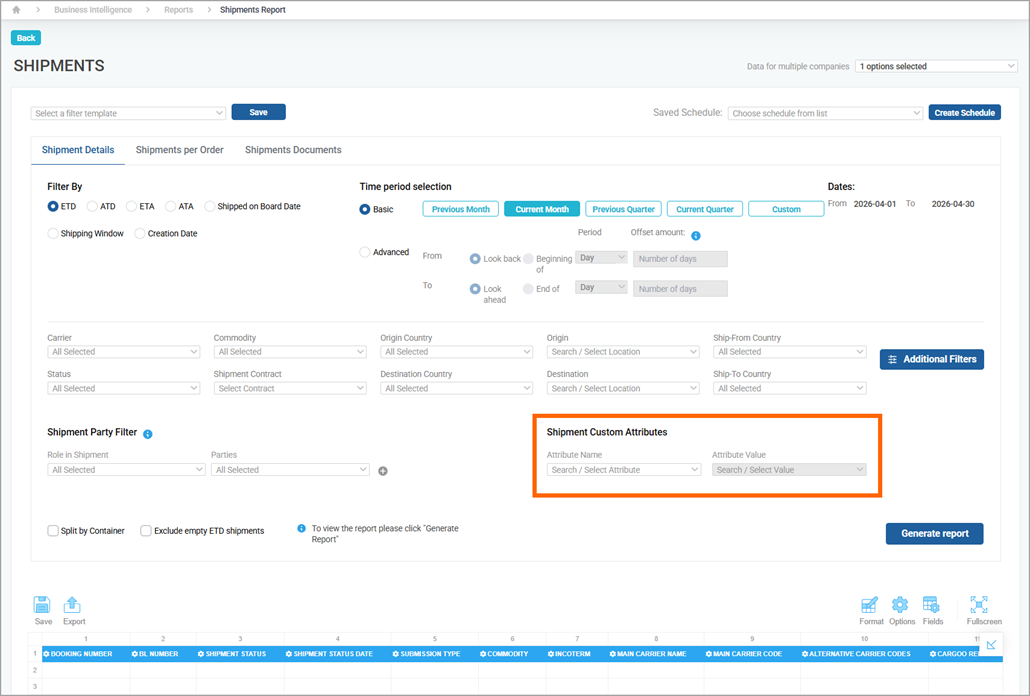
In the Shipments Details and Shipments per Order tabs, when you select the Shipment Custom Fields checkbox in the Additional Filters list, you will see a new set of fields, Shipment Custom Attributes, with the following drop-down lists:
- Attribute Name
- Attribute Value.
- New Filters, independent from Additional Filters
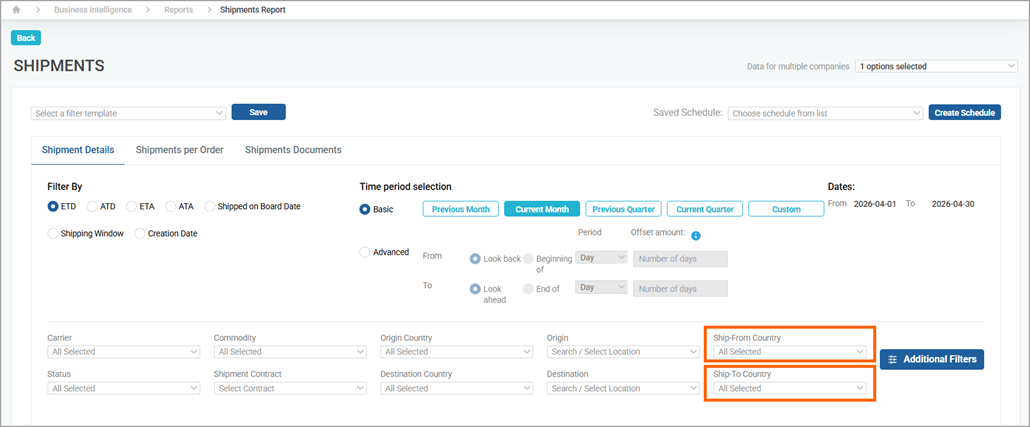
In addition, we added the following filters, which will always be visible:
- Ship-From Country
- Ship-To Country.