 BIM Support
Updates in the Shipment Report Filter
We enhanced the shipments report by creating the option to filter for multiple shipment criteria.
You can now select shipment parties, allowing more precise and flexible filtering based on combinations of shipment roles and parties. This filter is also applicable in the report templates and schedules.
Navigation: Business Intelligence → Reports → Shipments
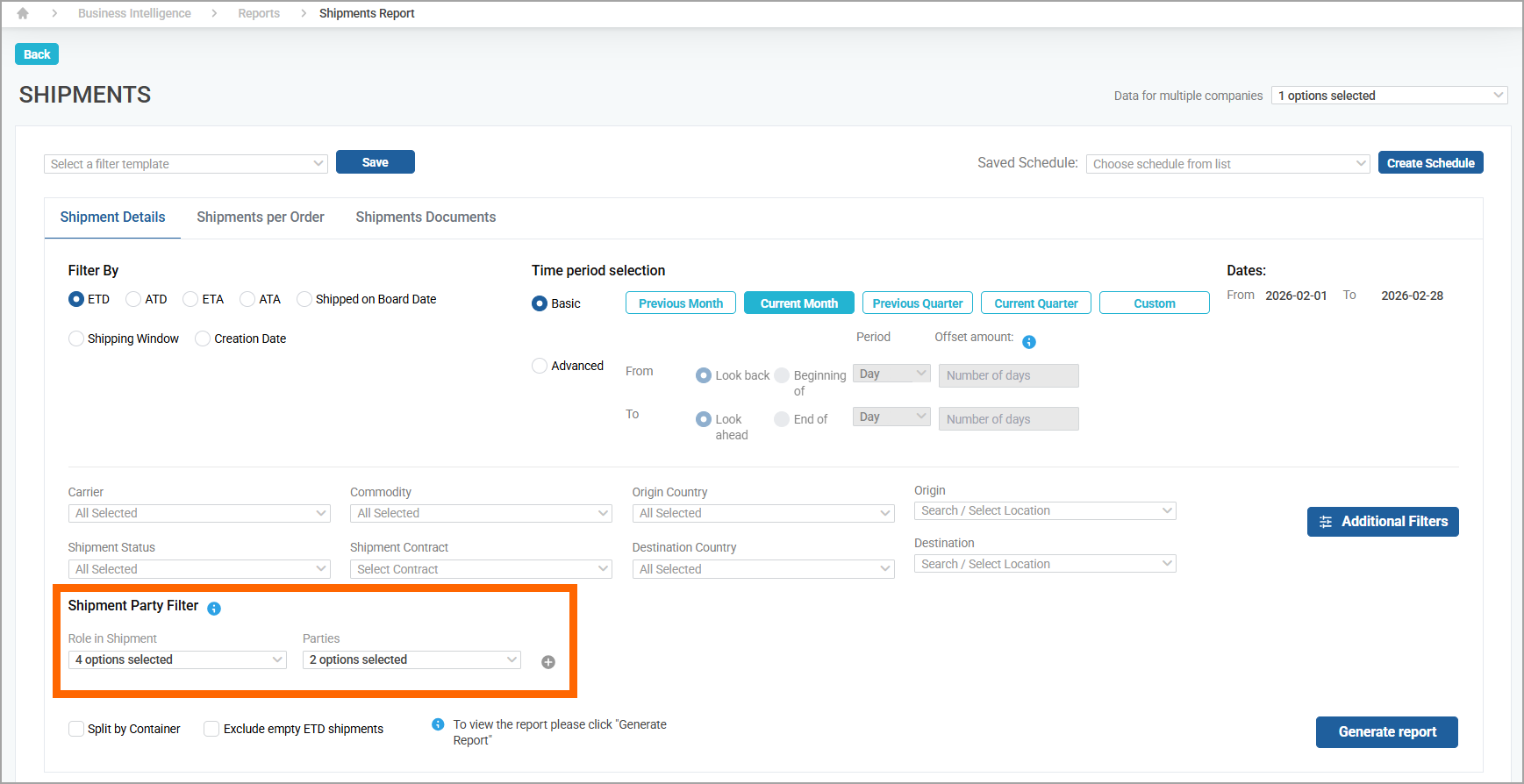
Now there is a default empty row for specifying the party or a role in the shipment. You can add 4 additional rows and remove them. The first row cannot be removed, but if needed, the content can be cleared.
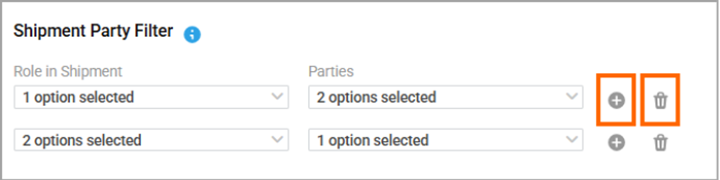
When generating a report using filtering criteria in the first row, the system displays data that matches any of the specified parties in any of the selected roles.
If an additional row is added with further party(ies) and role(s), the system applies these new criteria to the previously filtered results. It then refines the dataset accordingly and displays only the records that meet both the initial and the subsequent filtering conditions.
Example
row 1: Booked by party is within Company1 or Company2
row 2: Booking Agent party is within Company3
Result: The filter will look for and display:
shipments where the Booking Agent party is within Company3, in the shipments where the Booked by party is within Company1 or Company2