 BIM Support
Common Features: Data for Multiple Companies
Data for Multiple Companies allows you to filter report data per company, i.e., you can generate a report based on the data of a single company or multiple ones, depending on your account permissions.
To filter the data
- Navigate to Home>Business Intelligence>Reports.
- Choose a report category.
- Click the drop-down menu on the right side of Data for multiple companies: and select all the companies you want to get the data for.
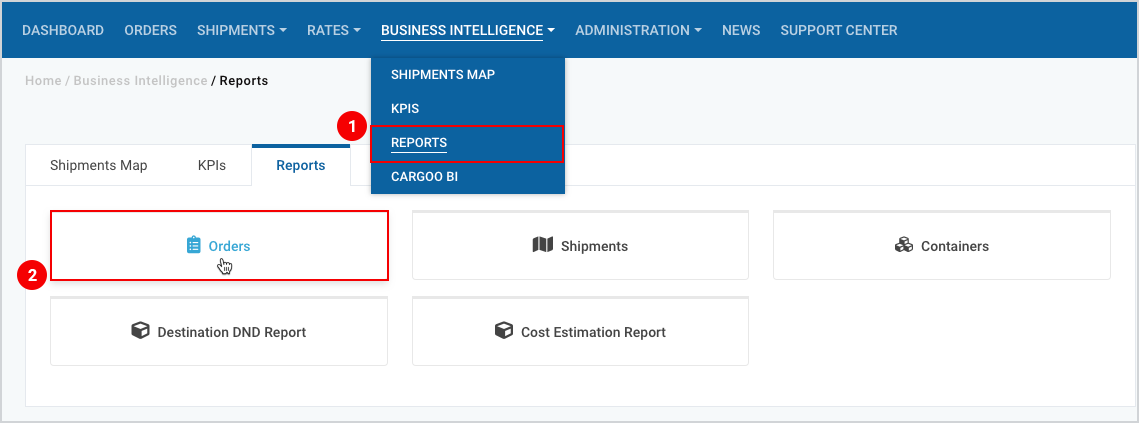
Figure 1
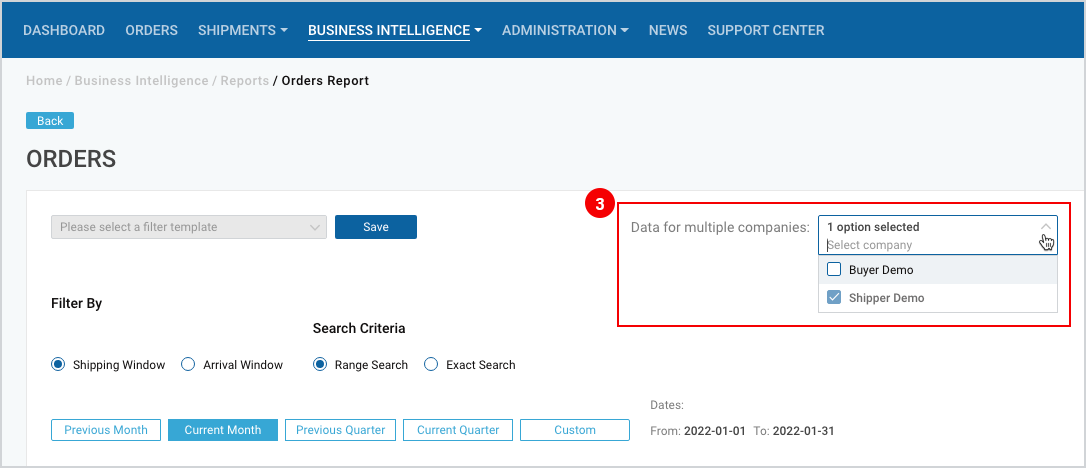
Figure 2
To download the print version of this article click the PDF icon: