 Carrier Integration Support
Carrier Status Visibility in Shipments
Navigation:
Shipments → [Shipment]
From now on, when you submit a booking request using the Book via Cargoo flow, you can now view the integration status for each carrier during the carrier selection process. The system displays an informative message to clarify what will happen upon proceeding with a booking based on the selected carrier and its integration status.
This change applies to both carrier selection options:
- Contracts in Cargoo.
- Enter contracts manually.
Carrier And Integration Status
Now you will see the carrier integration status next to the carrier.
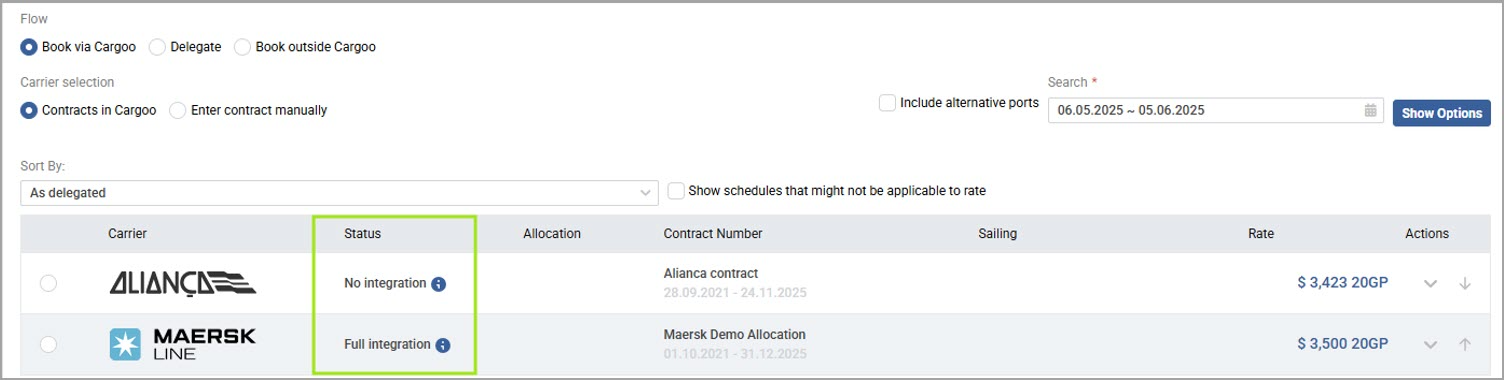
Carrier Status - Contracts in Cargoo
The following statuses are available:
- Full integration – the system sends the booking request details directly to the carrier, and Cargoo will receive the carrier's response messages.
- Pending integration – the system submits the booking request to the carrier after registering your booking company with the respective carrier. Correspondingly, the shipment will be booked after the Integration ID is received from the carrier.
- Email integration – the system sends the booking request details to the carrier via email, but you will not see carrier responses within Cargoo.
- No integration – To finalize the booking request submission, you need to select the shipment flow to Book outside Cargoo, then contact the carrier directly to place the booking.
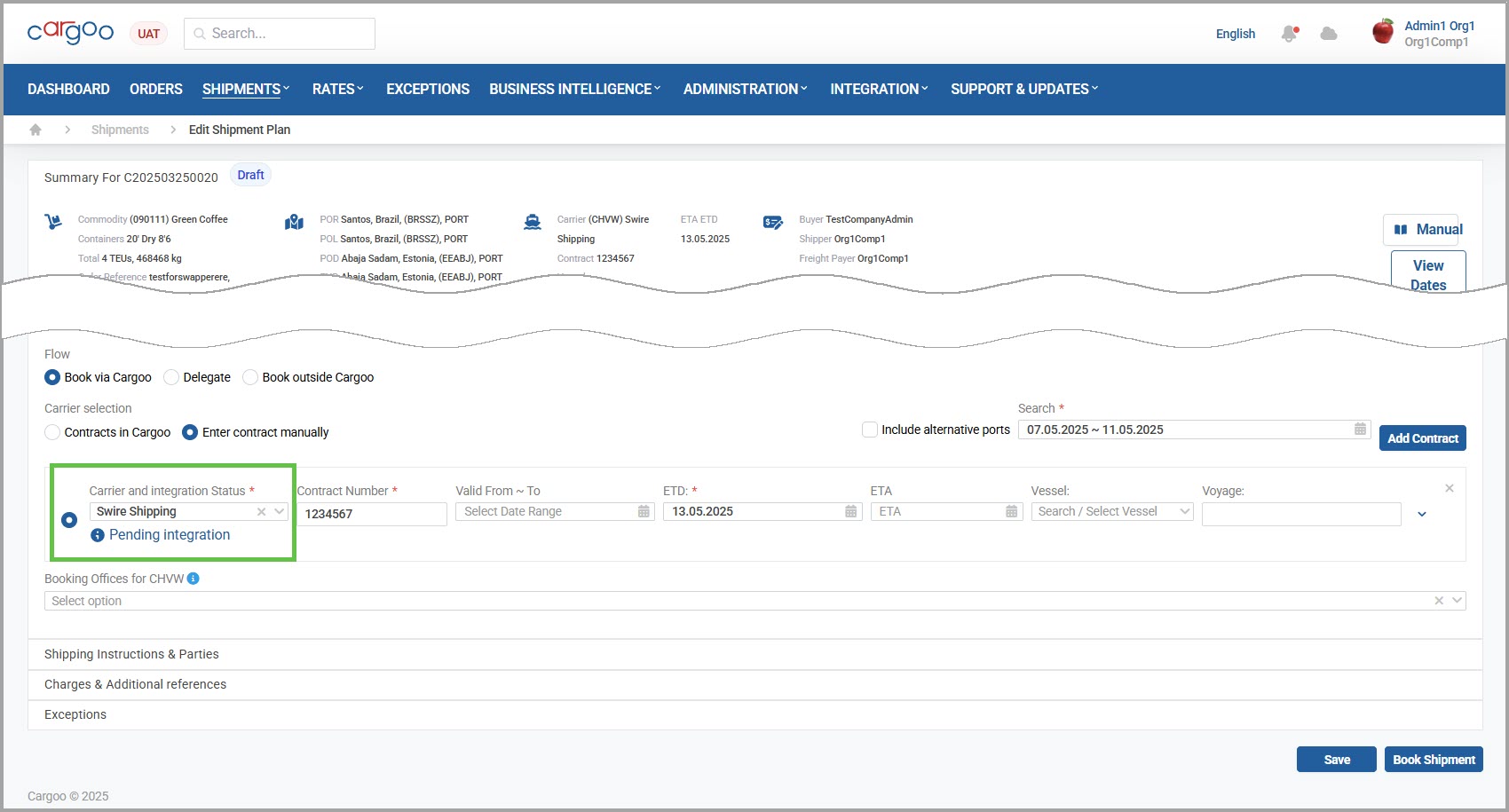
Carrier Status - Enter Contract Manually
Next to the status title, a tooltip will help you view the status description.
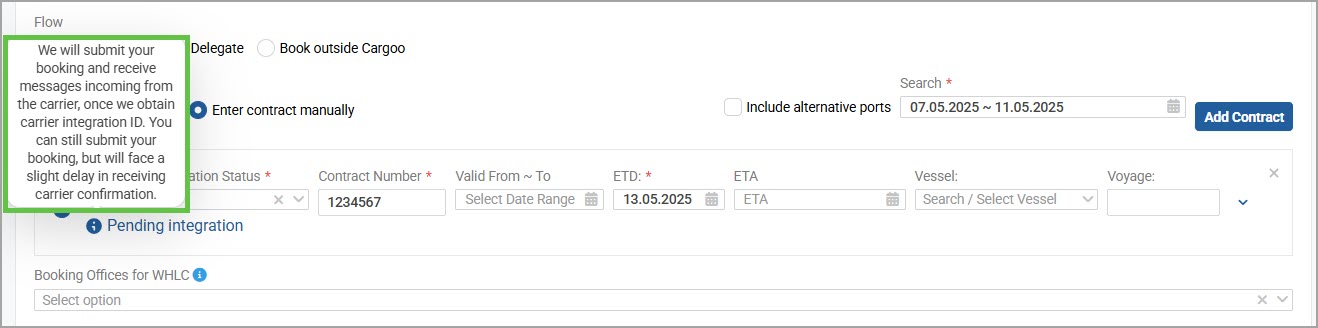
Carrier Status - Tooltip
This update will inform you about the integration statuses with the carriers, as well as the expected Cargoo behavior and any required actions on your side.