 Carrier Integration Support
Updates in Daily Notification Setup
Navigation:
Organization → Companies → Notification Setup.
User Profile → Notification Setup.
This update introduces a new feature allowing users to choose to receive notification emails in a consolidated daily summary, helping reduce email overload.
New Checkbox
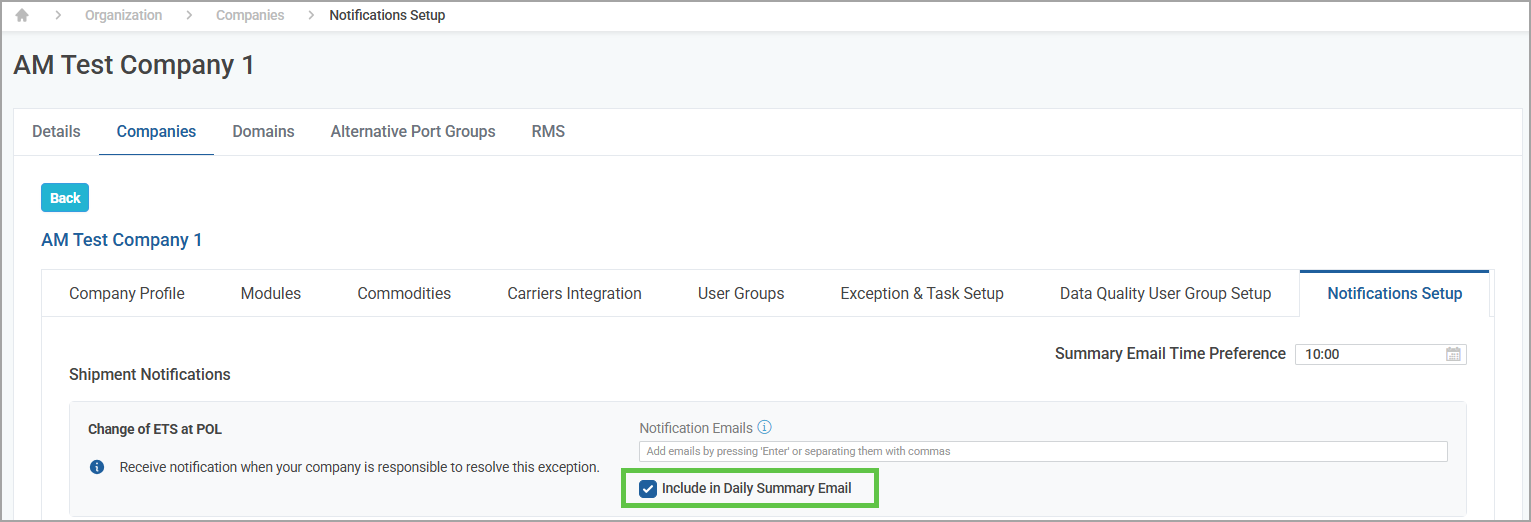
- In the Notification Setup tab of the Companies and Profile sections, now you will see a new checkbox - Include in Daily Summary Email.
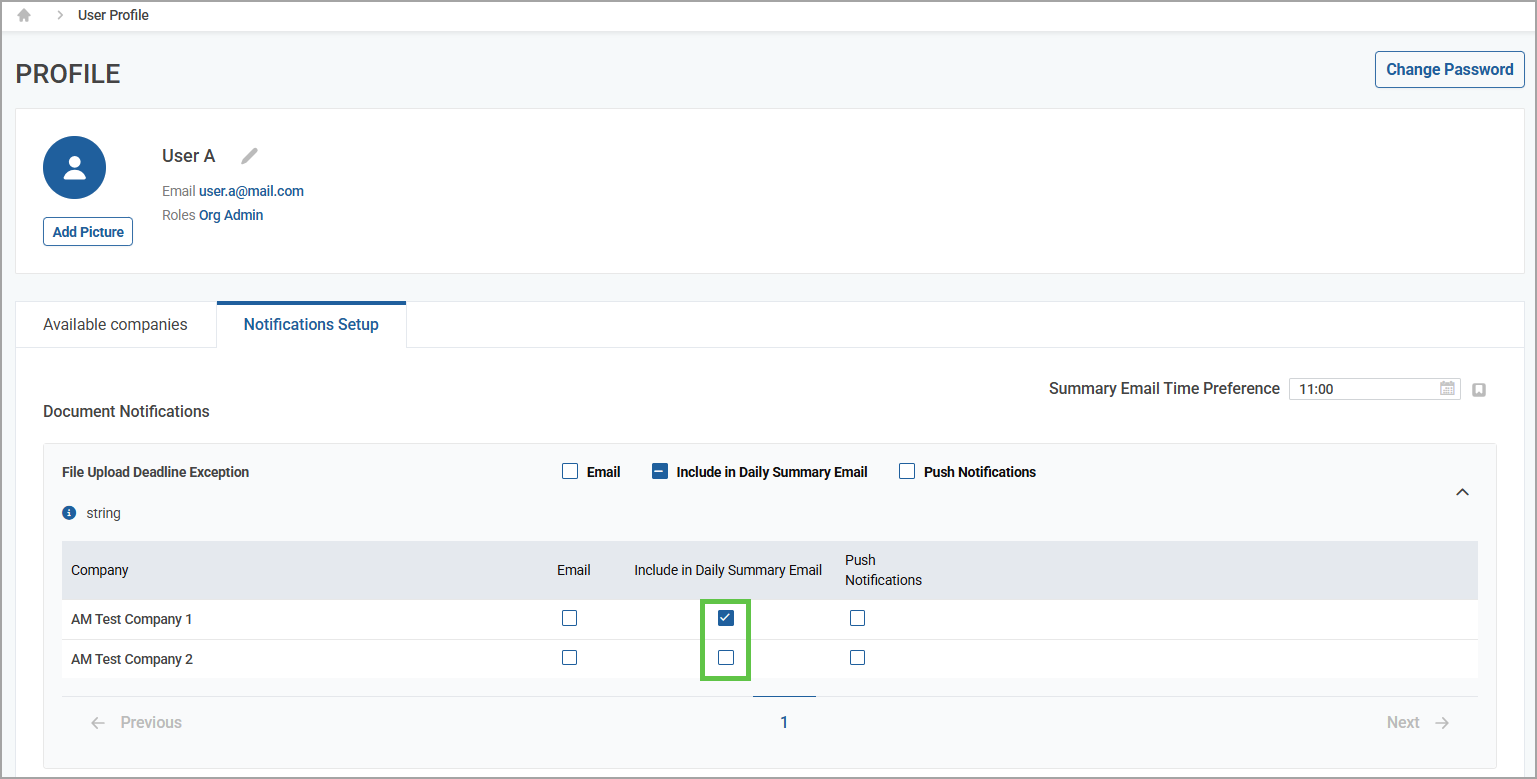
- In the user Profile, you can choose the companies for which you want to set up a daily email notification.
Time Preference
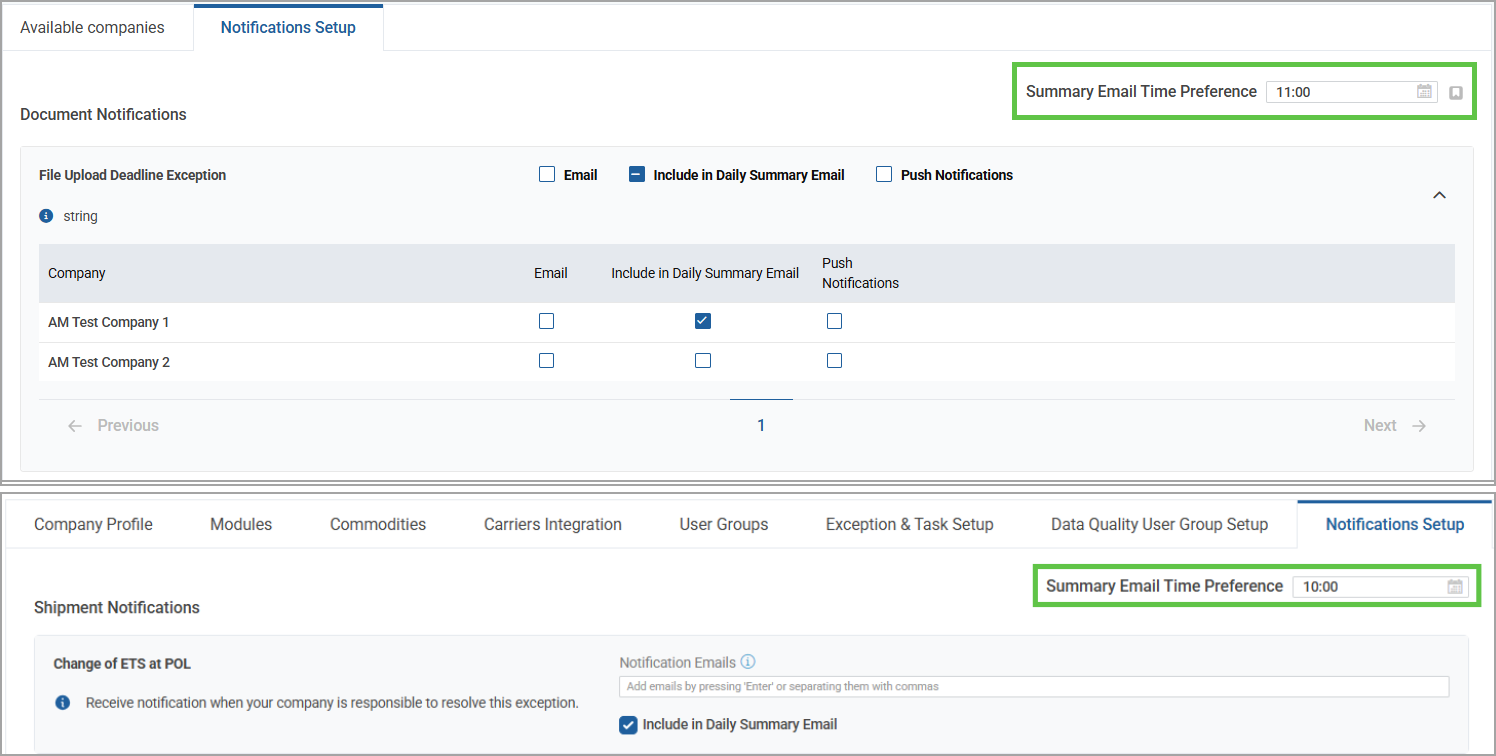
- You can select the preferred time to receive your daily summary of email notifications.
This enhancement provides more flexibility and control over email notifications, improving user experience and reducing inbox clutter.