 BIM Support
Apply Cargo Details Across Multiple Containers in CBLI
We are introducing a new feature that allows copying cargo details across all containers in the CBLI. It is designed to reduce repetitive manual data entry and improve consistency by eliminating the need to repeatedly enter identical cargo details across multiple containers.
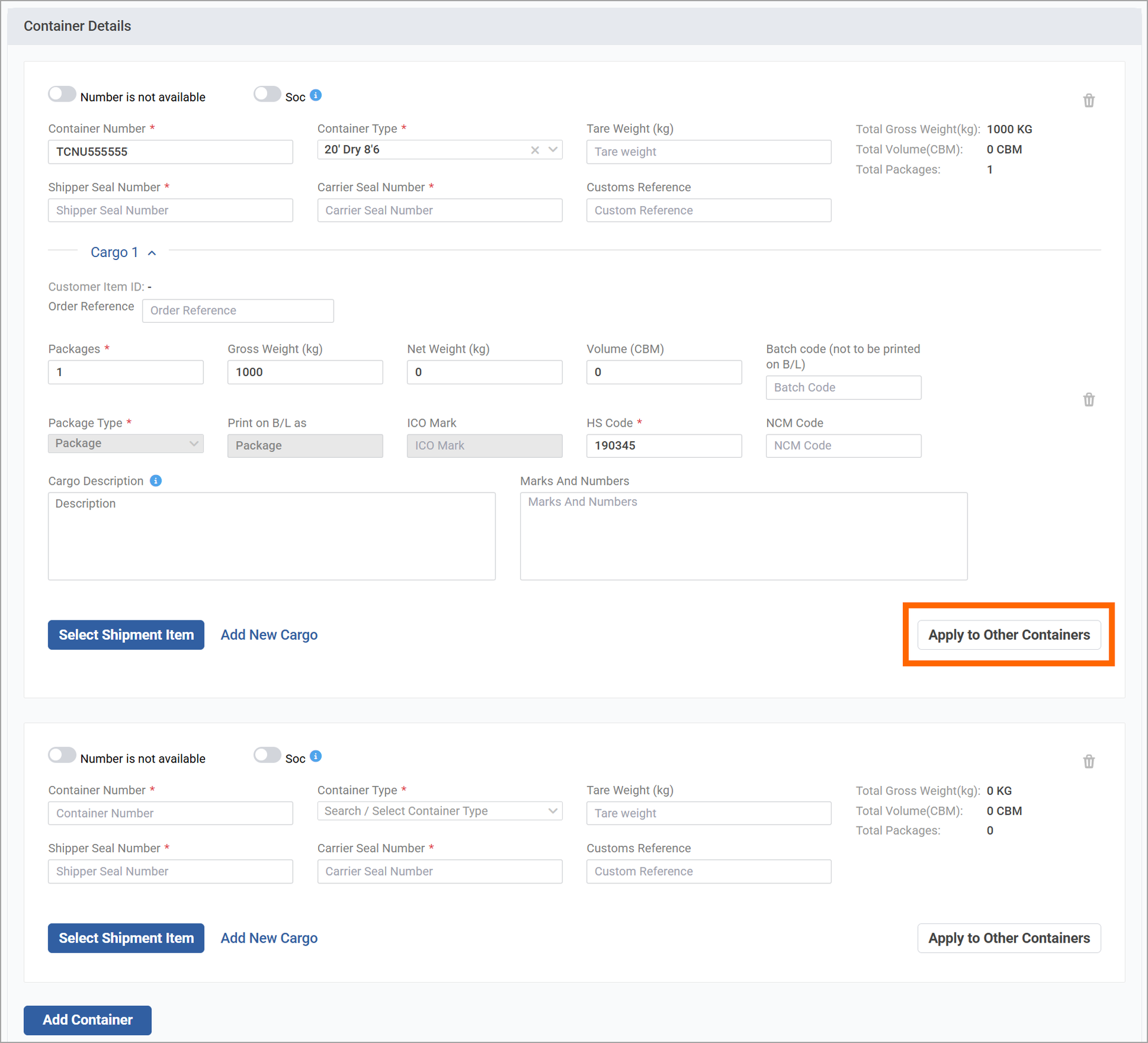
Apply to Other Containers button in the cargo card: Enables users to set cargo details in a single source container and selectively copy them to any of the other containers in the CBLI, regardless of their creation method.
The button appears only when the CBLI contains two or more containers.
Once you click the button, the Apply to Other Containers pop-up opens to specify the following details:
- The list of containers added in the CBLI, with checkboxes
- A filter to narrow down the available containers by type
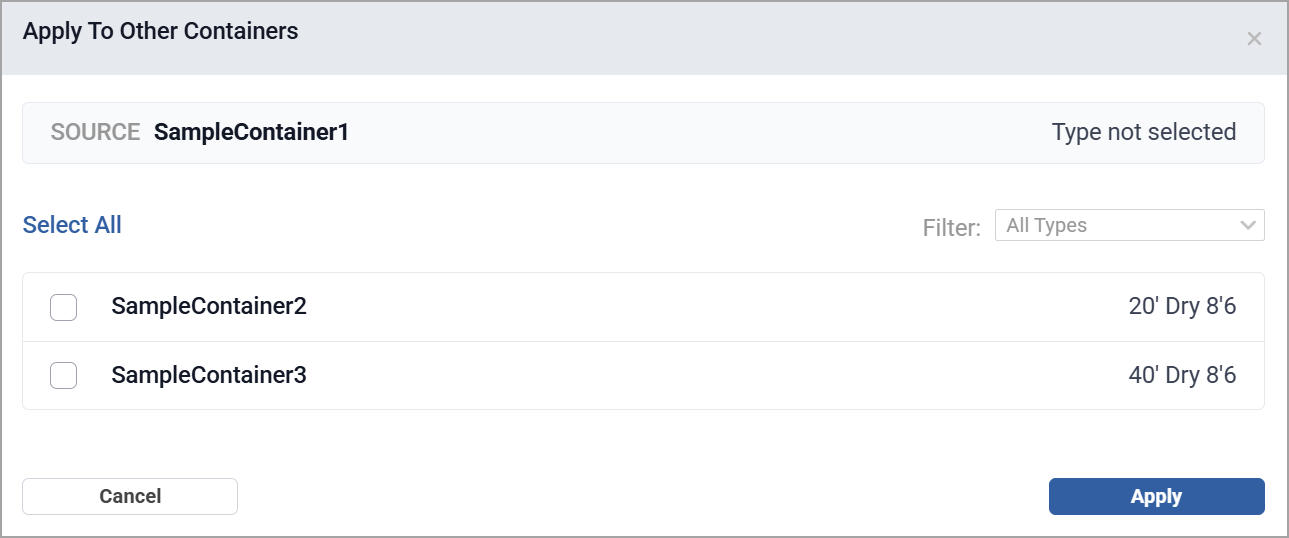
After you select and apply the data to other containers, a confirmation message will appear. The source container details will be copied into the selected containers.