 BIM Support
Introducing Dashboard Filter Templates
We are introducing Filter Template functionality to the dashboard, allowing you to save, reuse, and manage filter configurations for faster and more consistent access to data. This enhancement helps customize your feed by preserving your preferences once and automatically applying them in future sessions, saving you time.
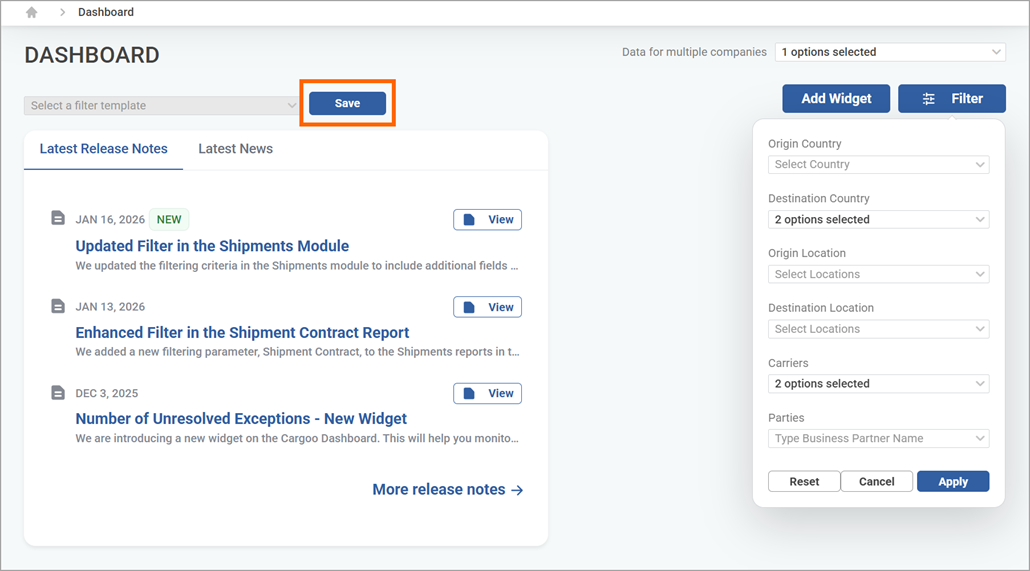
Layout Update: We swapped the positions of the Data for multiple companies field and the Add Widget and Filter buttons, to better fit the action flow.

Creating a Template: Using the Save button, you can retain the criteria selected in the filter, which will be create a template on your dashboard.
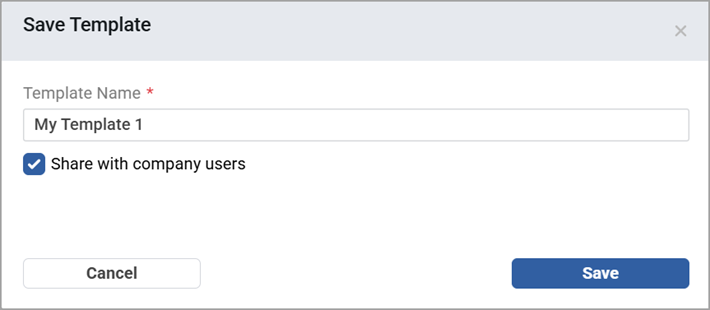
When naming your template, you are also able to share it with your company users.
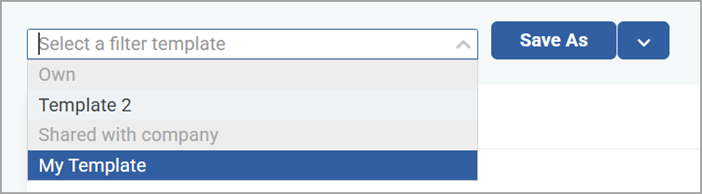
You can save multiple templates and they will be added in a drop-down list.
Template Actions: After creation, you can perform the following actions:
- Save As - to duplicate an existing template and customize it with necessary changes

- Discard changes made or Delete the template you no longer need.
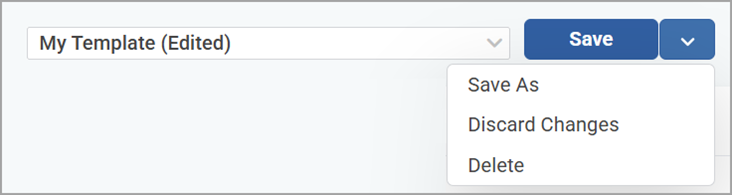
Hint: If there are unsaved changes, it will display (Edited) next to the template name.